
This web site is provided by Debbie Burden, County Treasurer. Our goal is to provide additional payment options to taxpayers and greater access to public information -- 24 hours a day, 7 days a week -- all without the inconvenience or expense of a trip to the courthouse. We are continually working to improve the website. Please let me know if you have ideas we can use to make the site better. I look forward to hearing from you.
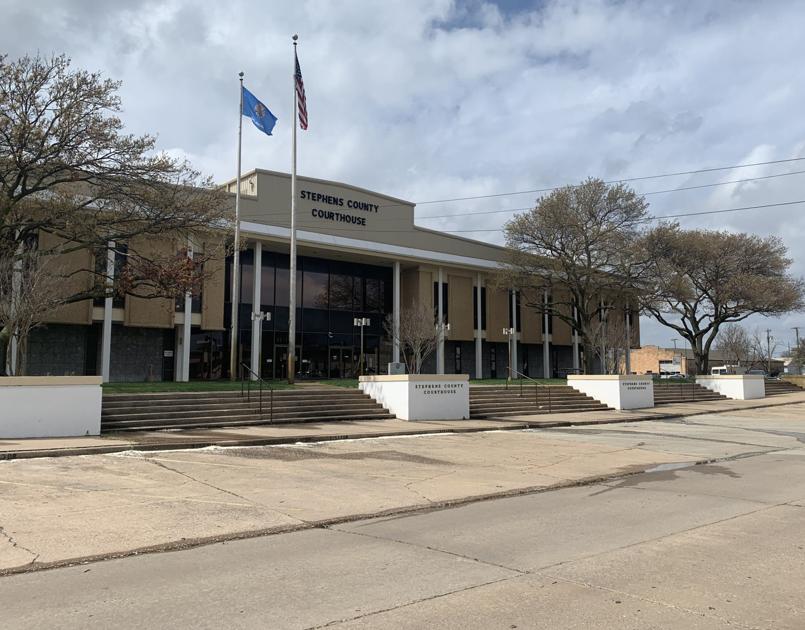
***ATTENTION: Due to COVID-19, we will be implementing some new safety options. We will be limiting the number of people in the office to three at a time. The option to pay online or by mail is still available. We also have a drop box in front of the Courthouse (just south of the main entrance) and we check it often. We encourage the use of cashier’s check, money order, or check when using drop box to pay. If you have any questions please call the office at 580-255-0728. Thank you, Stephens County Treasurer’s Office.
Tax statements are mailed in November or early December. If you do not receive your statements by mid-December, please contact our office immediately. Please verify that you have received all of your statements and that everything is correct. However failure to receive a tax statement does not exempt any person who is subject to taxation from paying taxes. O.S.68 1997 ss 2915.
The County Assessor determines property values. If you have any questions concerning your assessment, please contact the County Assessor’s Office.
Taxes must be paid in full or half by December 31. If you choose to pay half, you must pay the first half by December 31 and the second half if due by March 31. Statements that are $25 or less must be paid in full. If your taxes are not paid by December 31, penalty accrues at 1-1/2 percent per month until taxes are paid. Penalty on second half starts in April and accrues at 1-1/2 percent per month until taxes are paid in full. Some counties grant a 15-day grace period. In these counties penalty and interest accrue from the 16th of the month.
If you enclose a self-addressed, stamped envelope, your receipts will be mailed back to you. You may also print your receipt online by locating your tax item(s) and clicking on your name. Please allow 5-7 days for payments to be reflected online. If you need assistance with our website, please contact the County Treasurer's Office or the webmaster.
If your mortgage company is responsible for paying your taxes through an escrow account, the statement will be sent directly to the mortgage company. You will not receive a statement. If you receive a tax statement that should be paid by your mortgage company please forward it to them immediately. Most mortgage payments are not received in our office until the end of December and may not be credited until the first part of January. To verify that your taxes have been paid, locate your tax item(s) online and click on the tax amount. To print a receipt, click on your name.
The County Treasurer must hold a tax resale to sell any real estate for which the county has a held a tax lien for two full years (4 years delinquent taxes. A tax resale involves the outright purchase of property on which taxes are delinquent.
The tax resale is held each year on the second Monday of June at the County Courthhouse Treasurer’s office between 9 a.m. and 4 p.m. This property is auctioned off to the highest bidder. Bid begins with the amount of all delinquent taxes, penalties, fees and costs.
In the event no purchase is made, the remainder property is deeded to the County.
The County Treasurer may sell property deeded to the county after a Tax Resale upon receiving a bid on that property. The sale is subject to approval by the Board of County Commissioners, which has the power to reject any and all bids.
Any bidder must place a deposit with the County Treasurer’s office to cover the cost of advertising the sale.
At the sale, the property is auctioned to the highest bidder for cash or certified funds. Before closing the sale, the successful bidder must pay any additional costs of advertising and County Clerk's recording fees not covered by the deposit. (If these costs are less than the deposit, the difference will be refunded to the bidder.) A list of current available properties can be found from our Menu on the Home page by selecting County owned properties from the Resale Selection.
New legislation has been passed amending 68 O.S. Section 3105. The amendment eliminated the October Certificate Lien Sale (Certificate Sale). All liens for delinquent properties will be held by the county. Properties which remain delinquent and unpaid for 3 years or more will now be governed by resale statutes. See June Resale for details. Tax certificates issued prior to this legislation will remain active and are subject to the law that was in effect at the time the certificate was purchased.
A real estate mortgage tax is charged on every type of conveyance (document of property transfer) issued for the purpose of collecting money as a lien against real estate. This tax is to be paid by the Mortgagee, Mortgagor, or any other interested party (68 O.S. 2001-1904). Lenders must ensure that the Mortgage Information Form (No. 443) is presented with each mortgage instrument filed. The amount of the tax depends on the terms of the mortgage. The mortgage tax is rounded up to the next $100.00 when paying the maximum amount (10¢). Notarized affidavits must accompany all modifications. See Mortgage Tax Caluclator for estimated taxes due and information.
Rate of tax on each $100 and each remaining fraction thereof:
5 Years or more: 10¢
4 Years and less than 5 years: 08¢
3 Years and less than 4 years: 06¢
2 Years and less than 3 years: 04¢
Less than 2 years: 02¢
Mortgage for less than $100: 10¢
Certification fee per mortgage: $5.00
Certified Mailing Fee: $5.00
* Mortgage Tax Payments submitted which are not correct will be returned and a request for new payment will be issued with explanation. Please utilize the Mortgage Tax Calculator to ensure accurate amounts.
Insufficient check charge: $35.00
Personal tax warrants: $10.00
Individual redemption fee: $5.00
Tax Deed Fees - Resale or Certificate: $10.00
Special Assessment Fees: $5.00
Full list of fees is available in office.
Quick Connect
Debbie Burden
Stephens County Treasurer
101 South 11th, Room 207
Duncan, Oklahoma 73533
Office Hours: 8:30 a.m - 4:30 p.m
Telephone: (580) 255-0728
Fax: (580) 252-5950
Amanda, 1st Deputy Treasurer
Andrea, 2nd Deputy Treasurer
Laura, Deputy Treasurer
Cindy, Deputy Treasurer
Michelle, Deputy Treasurer
Kandi, Deputy Treasurer
Jennifer, Deputy Treasurer
Sara, Deputy Treasurer